


Compass: Accurate Compass
4.5936.00 Reviews
App Specs
- Version
- Varies with Device
- Updated On
- License
- Free
- Downloads
- 5,000,000+
- Developer
- Prometheus Interactive LLC
- Categories
- Maps & Navigation
- Platform
- Android
Screenshots
 Analysis by AppCompare
I reach for a digital compass when I need a quick sense of direction, not a turn-by-turn route. That distinction matters with Compass: Accurate Compass: it is a focused Maps & Navigation app from Prometheus Interactive LLC, built around a compass rather than the full planning and traffic features of a map service. I find that simple purpose useful, provided I treat the reading as one clue about where I am headed—not as a replacement for a map or good judgment outdoors.
When a compass depends on more than a signal
A compass needle and a map app solve different problems. Maps usually need location services and may rely on a network for fresh map details, while a compass reading depends heavily on the phone’s direction sensors. In practice, the experience can therefore change for reasons that have little to do with mobile coverage. A weak signal may complicate finding or refreshing location information, but nearby magnetic interference or a poorly calibrated sensor can make the direction itself unreliable.
That is why I would check the phone’s compass response before setting off, rather than waiting until I am deep into a walk. I also keep the handset away from magnetic cases, accessories, and other objects that may disturb its sensors. If the needle behaves oddly, moving to a more open spot and recalibrating the device is a sensible first step. The useful habit is to test the tool while you still have other ways to orient yourself.
What it is useful for on a normal day
The app’s appeal is not limited to a remote trail. I can imagine using it after exiting a large station or parking garage, where the immediate question is simply which way to walk to reach a familiar street. A compass can help me keep a chosen direction while I get clear of the building, then I can switch to a map for street names and route choices. That handoff is more practical than asking a compass to do a map’s job.
It also suits quick checks: confirming which side of a building faces a particular direction, orienting a paper map, or helping someone get a basic bearing before continuing. For a longer hike, I would use it alongside a route plan and offline materials I had prepared separately. A compass can indicate direction, but it cannot tell me whether a path is open, safe, or the right trail. That boundary is easy to overlook when a phone screen looks reassuring.
First Impressions
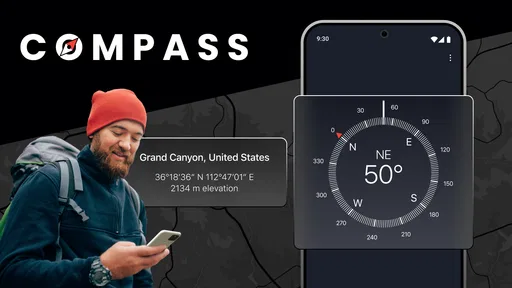
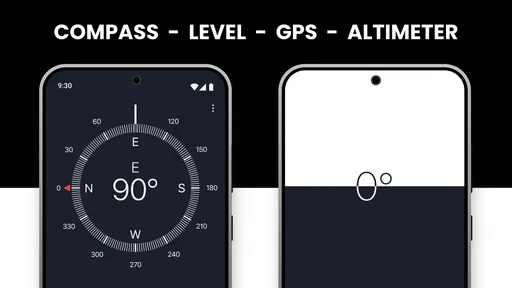
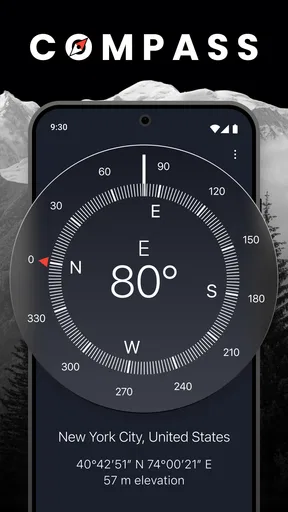
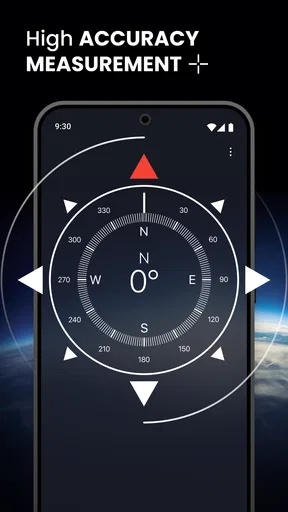
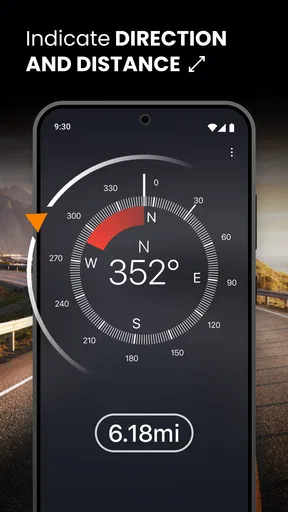
Right off the bat, the app impresses with its simple and clean interface. No unnecessary frills, just a straightforward design that gets the job done. The main screen displays a classic compass rose, complete with cardinal directions and degree markings. It feels like holding a real compass, just without the bulk.
Features that Stand Out
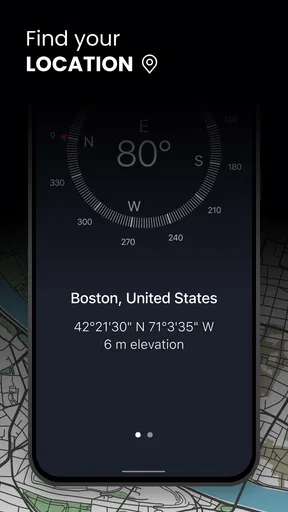
What sets Compass: Accurate Compass apart from other similar apps is its attention to detail. It doesn’t just point north; it also gives you the latitude, longitude, and altitude of your current location. This can be super helpful if you're out hiking or exploring unfamiliar territory.
Worth Reading Before You Choose

Flipboard Shows What News Apps Must Do Beyond the Feed

Switching to Android Auto Means Rethinking Your Driving Routine

Google Calendar Makes a Crowded Week Easier to Manage

Ludo King Makes the Most of the Minutes Between Plans

Baby Panda World Brings Quick Play to Modern Phones, but Its Game Library Feels Busy

ESPN’s Live Game View Makes Following Close Games Easier
Another cool feature is the magnetic declination adjustment. This ensures that the compass remains accurate no matter where you are on the globe. Plus, the app offers a choice between true north and magnetic north, catering to both casual users and serious adventurers.
Putting the readings to work
The choice between true north and magnetic north is most valuable when it matches the reference you are already using. A trail map or compass-based navigation method may expect one convention, while a casual “which way is north?” check may be satisfied by the other. I would avoid switching settings mid-route unless I know what the map expects; consistency makes bearings easier to interpret and reduces needless second-guessing.
The location figures are also better treated as supporting context than as a complete navigation solution. If I need to share a position, I would check that the displayed coordinates make sense and communicate them carefully, rather than relying on a rough verbal description such as “near the bend.” Altitude can offer a useful clue while exploring, but it is not a substitute for a contour map or a verified elevation reference. These details are most helpful when I already know how I plan to use them.
Usability and Performance
The app runs smoothly and doesn’t drain your battery – a big plus for anyone who’s spent too much time chasing down a charger. The compass needle is responsive and quick to align, making it reliable for on-the-go navigation.
One thing I noticed is that it works equally well offline, which is a godsend in remote areas where a signal might be sketchy. Just make sure your phone’s sensors are calibrated, and you’re good to go!
When readings look wrong
A compass is only as dependable as the conditions around the sensor. If the direction jumps, drifts, or disagrees with a known landmark, I would not keep walking on the strength of that reading. First move away from metal structures, vehicles, speakers, or magnetic accessories, then give the phone a chance to settle and recalibrate it using the device’s usual motion. Comparing the result with a second reference—such as a map or a physical compass—is a safer way to decide whether the issue is local interference or a setting mismatch.
There is a useful recovery order here: pause, check the direction setting, move to a less cluttered area, and compare with another source before continuing. That is especially important in a city, where tall buildings can make location context confusing, and outdoors, where a small directional error can compound over a long walk. If I need reliable route guidance through changing paths, I would use a map designed for that purpose rather than expecting a simple compass to provide it.
Connectivity, battery, and practical trade-offs
For a data-conscious user, a compass is naturally a lighter task than repeatedly loading map tiles or searching for routes, but I would not treat that as a promise about this app’s network behavior. I would test it before relying on it in a low-coverage place, and avoid assuming that every location detail will be available under every connectivity condition. If I am heading out for the day, I prepare route information separately and keep the compass as a direction aid.
The app is free to download, with in-app purchases listed from $0.99 to $99.99 per item. It is rated for Everyone, and its average store rating is 4.7 from around 46,000 ratings; it has over 5 million installs. Those figures suggest broad use, but they do not tell me whether the app fits a particular phone or navigation style. I would judge it by how reliably its needle responds on my device and whether its display suits the quick checks I actually need.
Compared with a built-in compass utility, a dedicated compass app can be appealing when you want direction and location details in one place. Compared with a full map or navigation app, it is intentionally narrower: it does not replace route choices, street-level context, or instructions for getting from one address to another. A physical compass is still a stronger backup for anyone who needs dependable direction without depending on a powered phone. The right choice depends on whether you need a bearing, a route, or a resilient backup—and those are not interchangeable jobs.
Who Will Love This App?
If you're an outdoor enthusiast, this app is definitely for you. Whether you’re hiking, camping, or just trying to get your bearings in the city, Compass: Accurate Compass has got your back. It's also great for casual users who just need a reliable tool for direction-finding every now and then.
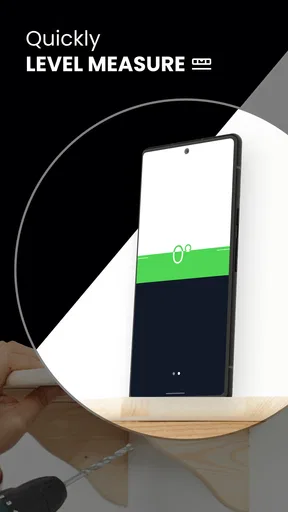
Even if you’re not the adventurous type, it’s a handy tool to have. Ever tried hanging a picture straight? This app can help with that too! It’s versatile enough to be useful in everyday situations, not just in the wilderness.
Who should choose something else
I would skip this as my primary navigation tool if I need spoken turn-by-turn directions, live traffic, a route that adapts to road closures, or a clear view of nearby paths. Those jobs call for a map or navigation app. It is also not my first choice for a serious expedition where a phone could run out of power, suffer damage, or give a questionable sensor reading; a paper map, preparation, and a dependable physical compass offer a more robust safety plan.
For occasional direction checks, though, its focused layout is a plus. Someone who only wants to know which way to face can open a compass without working through route menus. Someone learning navigation can use the north setting and degree markings to connect a map bearing with the world around them. I would still encourage beginners to practice in a familiar area first, where a mistaken bearing is easy to catch and correct.
Final Thoughts
In a world where technology often overcomplicates things, Compass: Accurate Compass is refreshingly straightforward. It does what it promises without any unnecessary fluff. Whether you're a hardcore traveler or just someone who likes to be prepared, this app is worth checking out.
So, if you’ve got an iOS or Android device, why not give it a spin? It’s free to download and easy to use. Who knows? It might just become your new favorite app for all things navigational!
My connectivity verdict
I see this as a handy companion for quick bearings, not a complete navigation system. Its best moments are the small ones: orienting myself after leaving a confusing building, checking a direction before setting off, or matching a compass bearing to a map I already understand. The main trade-off is that sensor accuracy and surroundings matter, while connectivity can affect the broader location context. Prometheus Interactive LLC’s app is worth trying if that focused role matches what you need; for route planning, detailed maps, or critical outdoor navigation, I would pair it with a more suitable tool rather than ask it to cover every job.
Pros
- Highly accurate orientation detection.
- Simple and intuitive user interface.
- No internet connection required.
- Lightweight and fast performance.
- Supports magnetic and true north.
Cons
- Contains in-app advertisements.
- Limited customization options.
- Requires device compass sensor.
- No offline map integration.
- Lacks advanced navigation features.
FAQs for Compass: Accurate Compass
How accurate is the Compass: Accurate Compass app?
The Compass: Accurate Compass app is designed to provide precise directional readings by utilizing your device's built-in sensors. Accuracy may vary depending on environmental factors, such as magnetic interference, and device calibration. For best results, ensure your device is calibrated properly and away from any magnetic fields.
Does the Compass: Accurate Compass app require an internet connection?
No, the Compass: Accurate Compass app does not require an internet connection to function. It relies on your device's internal sensors to provide accurate directional data. This makes it a reliable tool for outdoor activities, such as hiking or camping, where internet access may be limited.
Is the Compass: Accurate Compass app compatible with all devices?
The Compass: Accurate Compass app is compatible with most modern Android and iOS devices equipped with the necessary sensors. However, older devices or those lacking a magnetometer may not provide accurate readings. Check your device specifications to ensure compatibility before downloading the app.
How do I calibrate the Compass: Accurate Compass app?
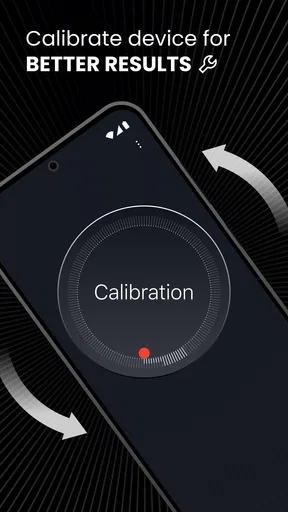
To calibrate the Compass: Accurate Compass app, follow the on-screen instructions, which typically involve moving your device in a figure-eight motion. This process helps realign the device's sensors for optimal accuracy. Regular calibration is recommended, especially after significant temperature changes or traveling across large distances.
Are there any in-app purchases or ads in the Compass: Accurate Compass app?
The Compass: Accurate Compass app may contain ads or offer in-app purchases for additional features or an ad-free experience. Users can enjoy the basic functionality for free, but opting for premium features can enhance the app's usability and provide a more seamless experience.


